Current Level 0: DATABRICKS LEVEL-0

Mile 0.2: Core Components of Databricks - Demo

🎬 YouTube Videos

No YouTube videos available

Check back later for new YouTube content.

📹 Library Videos

Databricks - Core Components of Databricks

📚 Content

SECTION 1 DATABRICKS FACTORY FLOOR

1 min read

Welcome to the Databricks Factory!

This is where your data journey begins. Databricks is like a modern, well-organized factory where raw materials (data)
are turned into valuable products (insights and pipelines).

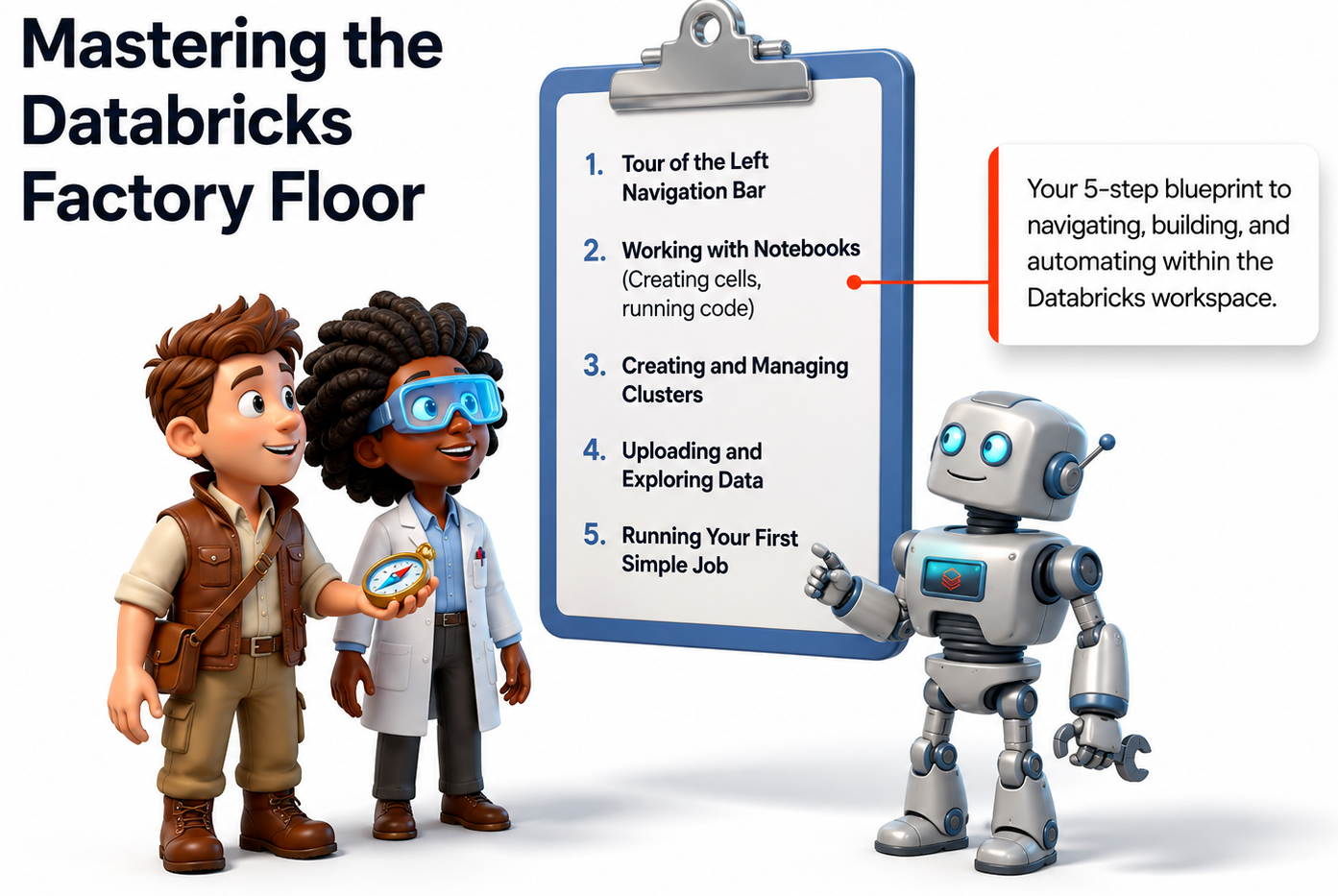


Your 5-Step Blueprint to master the workspace:

  1. Tour of the Left Navigation Bar
  2. Working with Notebooks
  3. Creating and Managing Clusters
  4. Uploading and Exploring Data
  5. Running Your First Simple Job

Think of Databricks as your data factory. Understanding the layout and main areas first will make everything else in the
much easier and more enjoyable.

Sign up or sign in to rate this section
SECTION 2 DATABRICKS WORKSPACE

1 min read

Tour of the Left Navigation Bar

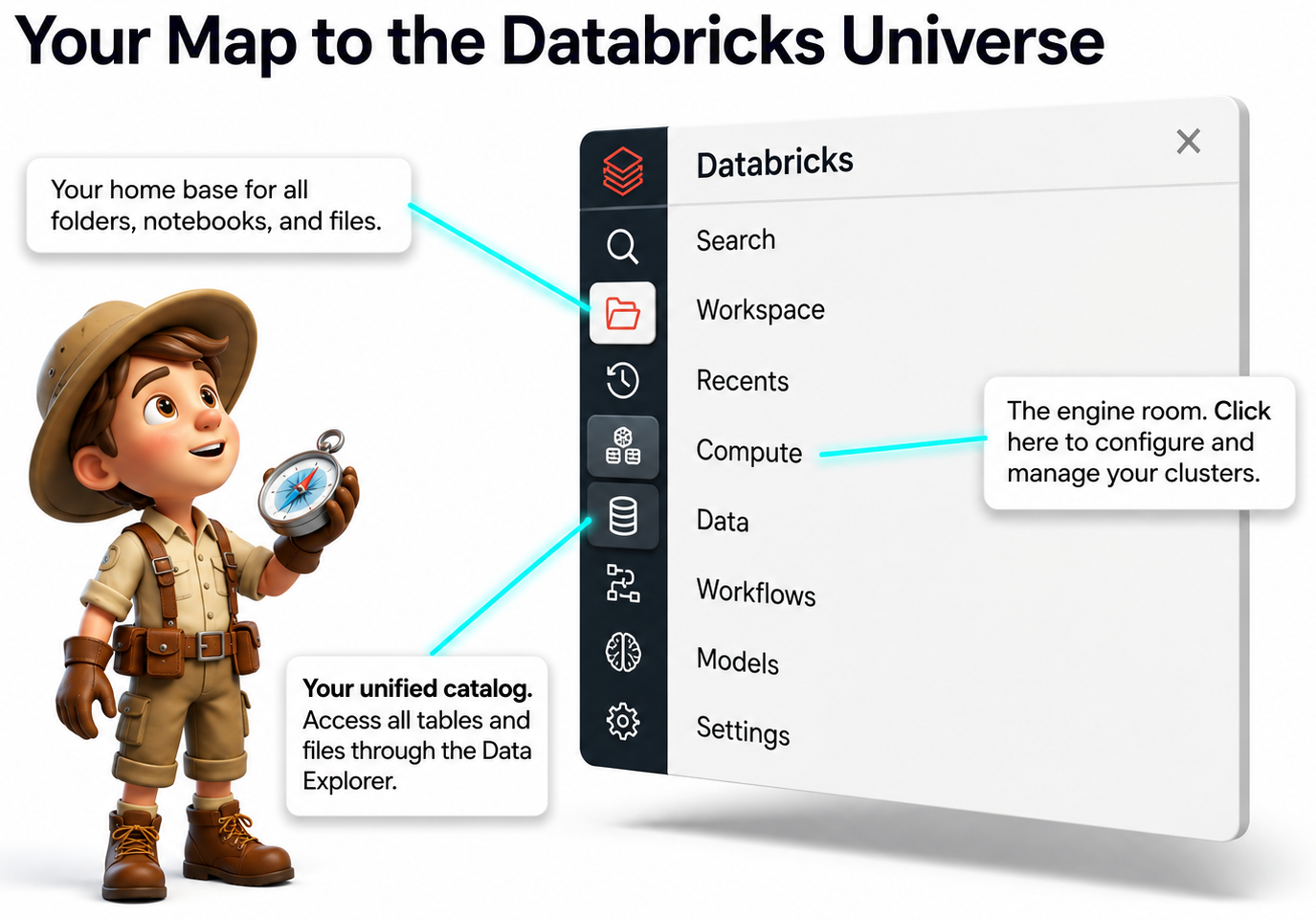
The left sidebar is your main map to navigate the entire Databricks platform.


Key Areas to Know:

• Workspace Your home base for all folders, notebooks, and projects.

• Compute The engine room - create and manage your clusters here.

• Data Your unified catalog to browse tables and files.

• Workflows Where you schedule and automate jobs.

Get familiar with the left navigation bar early. It’s the quickest way to move around Databricks and find everything
you need.

Sign up or sign in to rate this section
SECTION 3 NOTEBOOKS 

2 min read

Where the Magic Happens

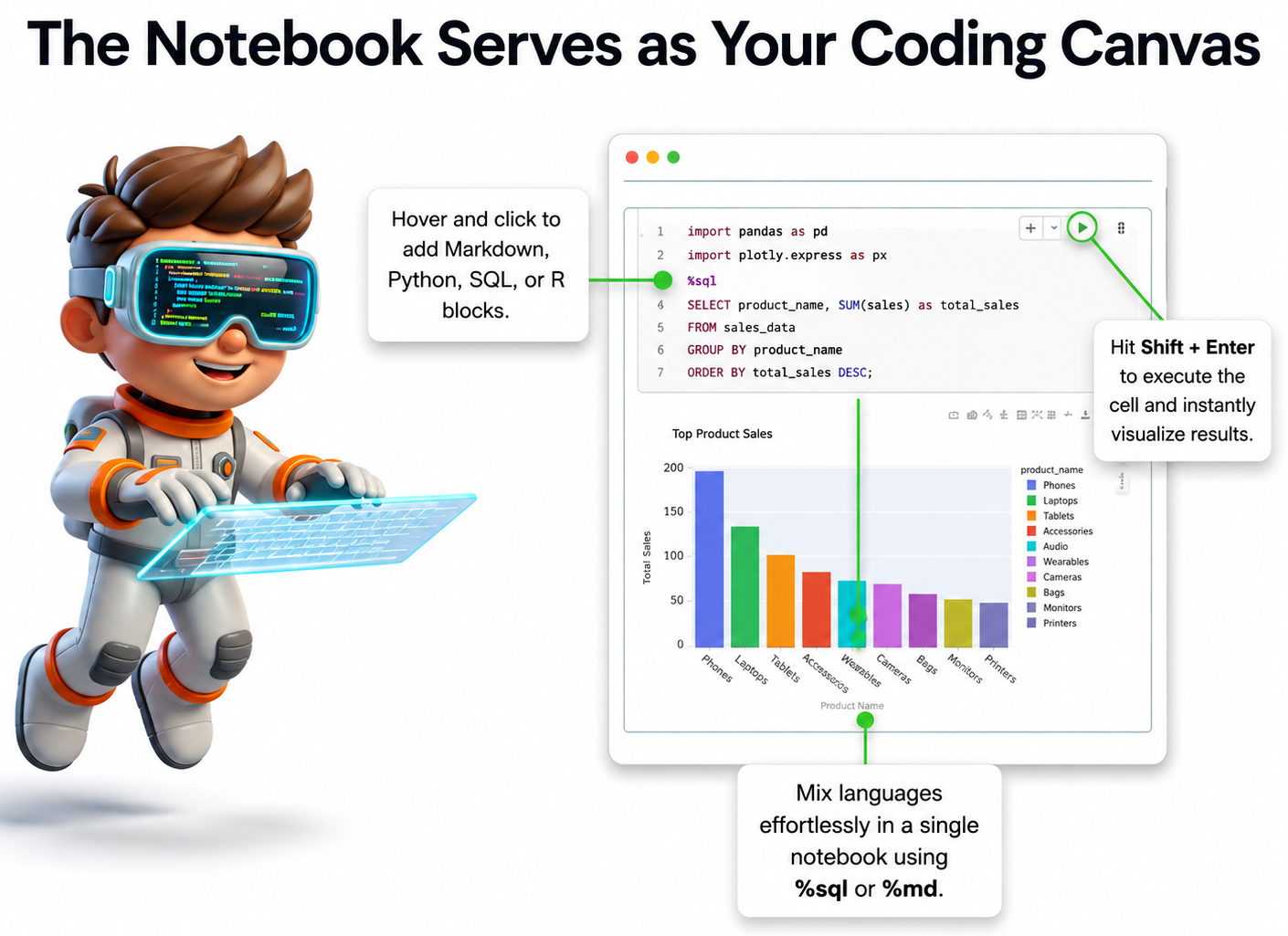
Notebooks are your main workspace in Databricks - your interactive coding canvas where you write,
run, and document your work.


Key Features:

• Add Cells Easily Hover and click the + to add Markdown, Python, SQL, or R cells.

• Run Code Instantly Hit Shift + Enter to execute a cell and see results immediately.

• Mix Languages Use %sql, %python, or %md in the same notebook.

• Visualize Results Charts and tables appear right below your code.

Notebooks are flexible, interactive, and beginner-friendly. They combine code, documentation, and results in one
place - making them the heart of Databricks.

Sign up or sign in to rate this section
SECTION 4 COMPUTE (CLUSTERS) - THE ENGINE THAT RUNS YOUR CODE

2 min read

Power Up Your Computations

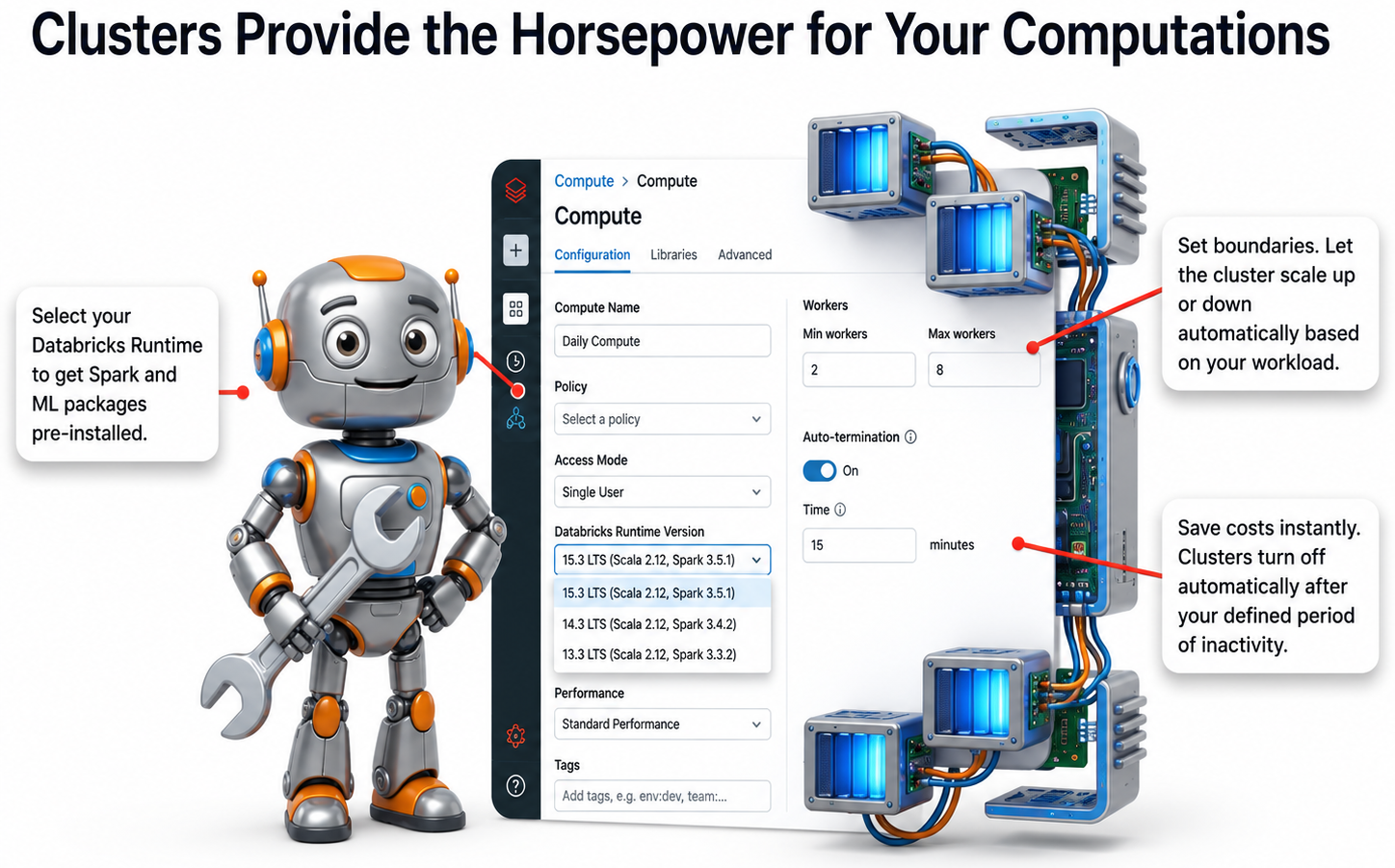
A Cluster is a group of virtual machines that provide the computing power (CPU, memory, and storage) to
run your notebooks, process data, andexecute Spark jobs in Databricks.

Without a cluster, your code cannot run. It is like the engine in a car - you need it to move forward.

Key Highlights:

  • Runtime  Choose the Databricks Runtime version (includes Spark and ML packages)
  • Auto-Scaling  Automatically adds or removes workers based on your workload
  • Auto-Termination  Saves costs by shutting down idle clusters after a set time
  • Cluster Types  - All-Purpose (interactive learning) vs Job Clusters (automated jobs)

Clusters are the engine of Databricks. Understanding how to create and manage them essential
for running any workload efficiently and cost-effectively.

Sign up or sign in to rate this section
SECTION 5 DATA MANAGEMENT - YOUR DATA VAULT

1 min read

Raw Data Transforms into Queryable Assets

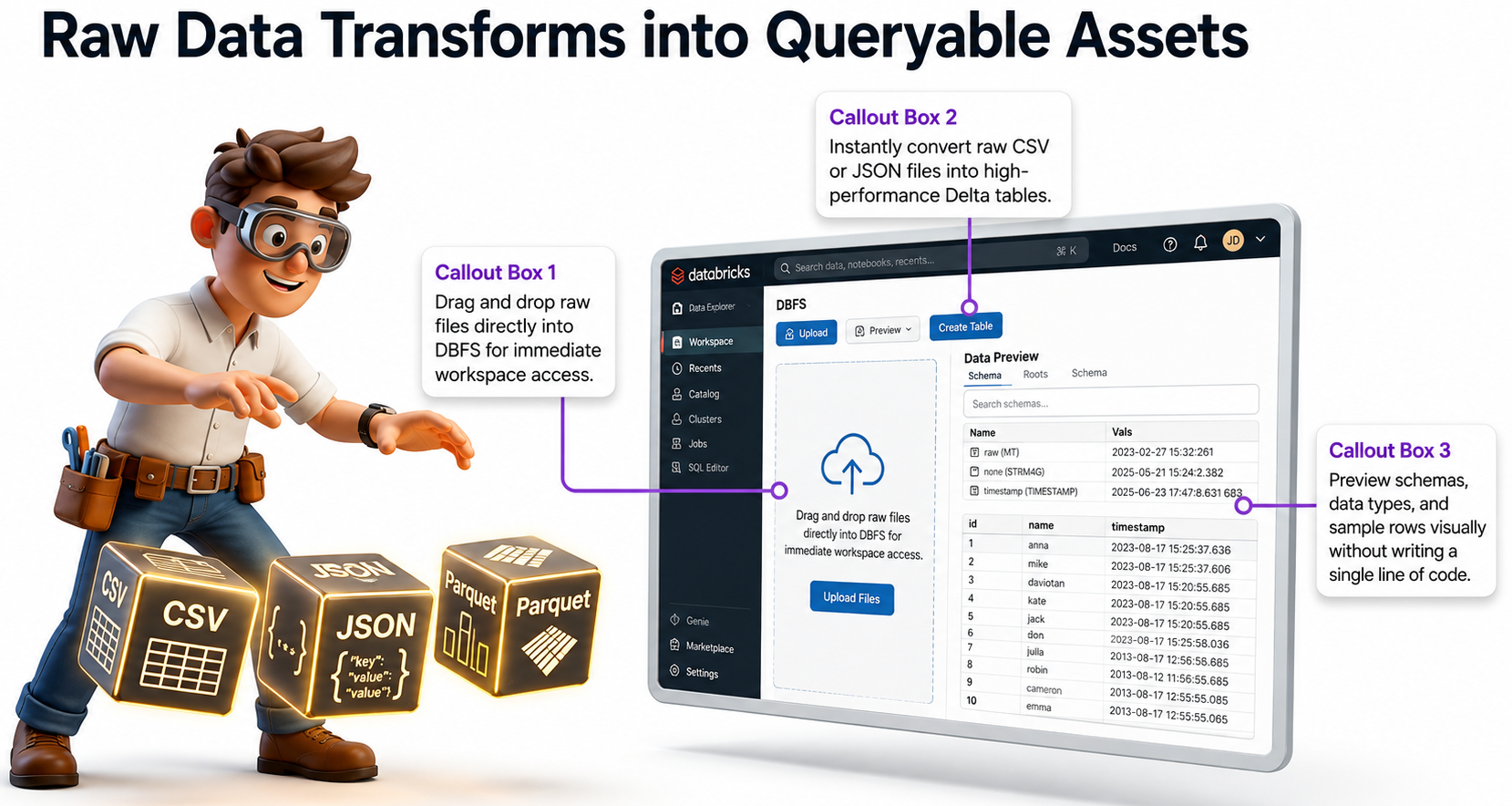
The Data section (also called Catalog) is where you manage, upload, and explore all your data assets in one
organized place.


Key Highlights:

  • Upload Files Easily - Drag and drop CSV, JSON, or Parquet files directly
  • Create Tables - Instantly convert raw files into high-performance Delta Tables
  • Preview Data - View schema, sample rows, and data types without writing code
  • Organized Catalog - Browse databases, tables, and files in a clean interface

The Data Management area turns messy raw files into clean, queryable tables - making your data ready for
analysis and pipelines.

Sign up or sign in to rate this section
SECTION 6 WORKFLOWS - AUTOMATE YOUR PIPELINES

1 min read

Turn Your Work into Automated Masterpieces
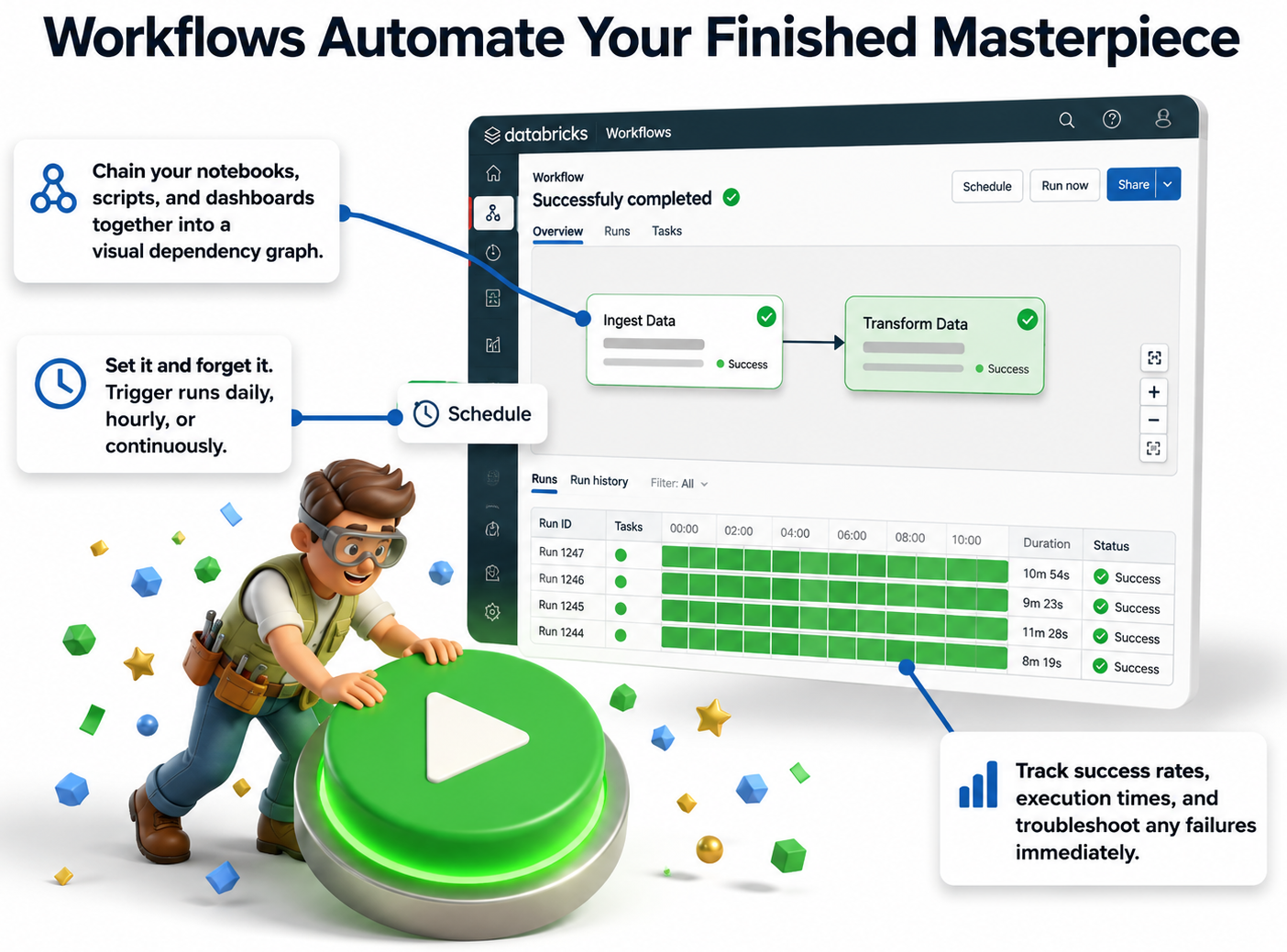
Workflows (also called Jobs) let you automate your notebooks and pipelines so they run on a schedule
without manual effort.

Key Highlights:

  • Visual Pipeline Builder - Chain multiple notebooks and tasks together
  • Scheduling - Run jobs daily, hourly, or on demand
  • Monitoring - Track success rates, execution time, and failures easily
  • Set & Forget - Once configured, it runs automatically

Workflows turn your manual notebooks into reliable, production-ready automated pipelines - one of the
most powerful features in Databricks.

Sign up or sign in to rate this section
SECTION 7 PUTTING IT ALL TOGETHER - THE COMPLETE DATA LIFECYCLE

2 min read

How Everything Connects

Now that you’ve explored the main parts of Databricks, here’s how they work together in a complete cycle.

The Full Data Lifecycle in Databricks:

  1. Enter your Workspace – Your main working area
  2. Write instructions in Notebooks – Where you code and document
  3. Power execution with Compute – Clusters run your code
  4. Transform and store via Data Management – Use Catalog to organize tables
  5. Orchestrate it all with Jobs & Automation – Schedule and monitor pipelines

Databricks is a complete, connected platform. When you understand how Workspace, Notebooks, Clusters,
Catalog, and Jobs work together, you can build real, professional end-to-end data solutions.

Sign up or sign in to rate this section

📝 Assignment

Available Assignments
Assignment Pass Mark Duration Actions
Core Components of Databricks
70% 01:00:00

📊 Exam

Available Exams
Exam Pass Mark Duration Questions Actions
Core Components of Databricks
70% 00:30:00 5

💬 Comments & Discussion

Sign up free or sign in to post a comment
Sign up free or sign in
No comments yet

Be the first to share your thoughts!