Current Level 0: Microsoft Fabric—Level 0
0 / 6 Miles
0 / 6 Assignments
0 / 7 Exams

Mile 2: Introduction to Microsoft Fabric.

🎬 YouTube Videos

No YouTube videos available

Check back later for new YouTube content.

📹 Library Videos

Introduction to Microsoft Fabric

📚 Content

SECTION 1 WHAT IS MICROSOFT FABRIC?

2 min read

Introduction to Microsoft Fabric
Objective: Understand what Microsoft Fabric is and why Microsoft introduced it.

What is Microsoft Fabric?
Microsoft Fabric is an end-to-end cloud-based data and analytics platform from Microsoft.
It brings different data and analytics capabilities together in a single platform.

Organizations can use Microsoft Fabric for:

  • Data Integration
  • Data Engineering
  • Data Warehousing
  • Data Science
  • Real-Time Analytics
  • Business Intelligence

Simple Way to Remember
Data Integration → Bring data in
Data Engineering → Process and transform data
Data Warehousing → Store and analyze structured data
Data Science → Explore data and build machine learning solutions
Real-Time Analytics → Analyze continuously arriving data
Power BI → Create reports and dashboards


Key Point
Microsoft Fabric = Data Integration + Data Engineering + Data Analytics + Reporting
Microsoft Fabric provides an integrated platform for working with data from ingestion and storage through processing, analytics, and reporting.
Sign up or sign in to rate this section
SECTION 2 TRADITIONAL DATA PLATFORMS VS. MICROSOFT FABRIC

3 min read

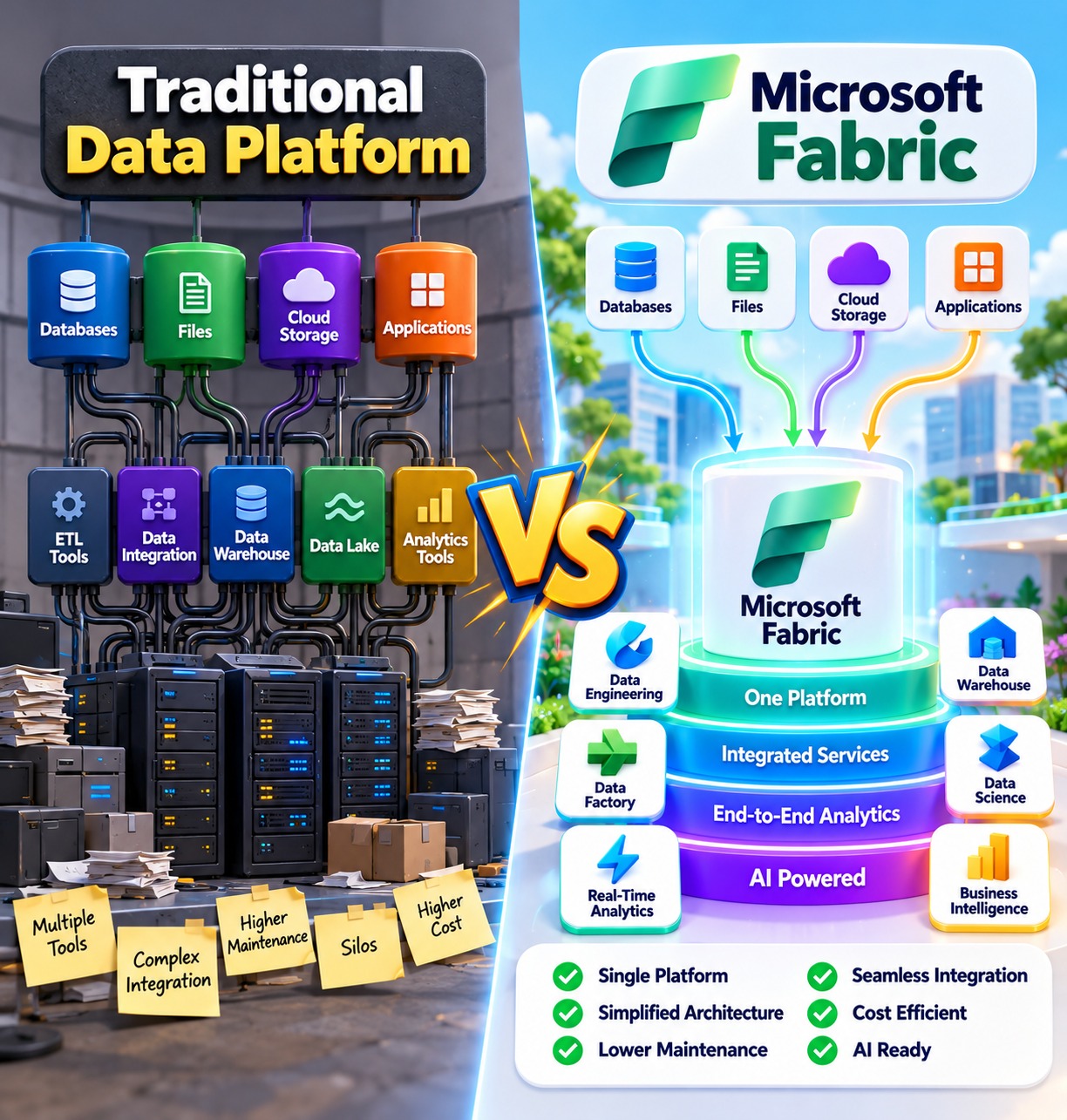
Traditional Data Environment vs Microsoft Fabric
Objective: Understand the challenges of traditional data platforms, what Microsoft Fabric is, and how Microsoft Fabric provides a more integrated approach to data and analytics.

Traditional Data Environment
Before using a unified analytics platform, organizations may use different services and tools for different data tasks.

Example:
Data Ingestion → Azure Data Factory
Data Transformation → Azure Databricks / Spark
Data Storage → ADLS
Data Warehouse → Synapse / SQL
Reporting → Power BI

Challenges with the Traditional Approach
Using multiple services can require teams to manage different environments and integrations.

Common Challenges:
• Multiple services to manage
• Separate security configurations
• Integration between different services
• Data movement between systems
• Multiple copies of data
• More monitoring and maintenance
• More complex end-to-end management

What is Microsoft Fabric?
Microsoft Fabric is an end-to-end data and analytics platform that brings multiple data workloads together in a unified environment.
It provides capabilities for:
• Data integration
• Data engineering
• Data warehousing
• Data science
• Real-time intelligence
• Business intelligence with Power BI
Microsoft Fabric uses OneLake as a unified data lake, allowing different Fabric workloads to work with data through a common storage layer.

Simple Microsoft Fabric Flow
Data Sources → Microsoft Fabric → OneLake → Data Processing & Analytics → Power BI

Traditional Environment vs Microsoft Fabric
Traditional Environment → Multiple Services → Separate Storage & Integration → More Management
Microsoft Fabric → Integrated Platform → OneLake → Connected Data & Analytics Workloads

Key Point
Traditional data environments may require organizations to integrate and manage several separate services, while Microsoft Fabric brings data and analytics capabilities together in a more unified platform.

Sign up or sign in to rate this section
SECTION 3 WHY DO WE NEED MICROSOFT FABRIC WORKLOADS AND COMPONENTSED MICROSOFT FABRIC?

2 min read

Major Microsoft Fabric Components
Objective: Get a high-level understanding of the major components available in Microsoft Fabric.

1. Data Factory
Data Factory is used for data ingestion and data integration.
It helps bring data from different source systems into Microsoft Fabric.


2. Data Engineering
Data Engineering is used for processing and transforming large amounts of data using technologies such as Apache Spark and notebooks.


3. Data Warehouse
Data Warehouse is used for storing and analyzing structured business data using SQL.
It is commonly used for analytical queries and reporting.


4. Data Science
Data Science is used for data exploration, machine learning, and data science workloads.It helps data scientists work with data and build machine learning solutions


5. Real-Time Intelligence
Real-Time Intelligence is used for processing and analyzing streaming and real-time data.


6. Power BI
Power BI is used to analyze data and create interactive business reports and visualizations.
It can be used to create:
• Reports
• Dashboards
• Data visualizations


Key Point
Microsoft Fabric provides different workloads for data ingestion, transformation, analytics, data science, real-time processing, and reporting within one integrated platform.

Sign up or sign in to rate this section

📝 Assignment

Available Assignments
Assignment Pass Mark Duration Actions
Mile 2: Introduction to Microsoft Fabric
70% 01:00:00

📊 Exam

Available Exams
Exam Pass Mark Duration Questions Actions
Mile 2: Introduction to Microsoft Fabric
70% 00:30:00 All

💬 Comments & Discussion

Sign up free or sign in to post a comment
Sign up free or sign in
No comments yet

Be the first to share your thoughts!